
Lifestyle
9 Signs a Fresh Listing Is Worth a Closer Look


It is a moment when you are just starting to doze off while scrolling through real estate applications. Something comes up that stops your thumb from going any further, whether it is a beam of light hitting a kitchen countertop that appeals to your fancy, or the view from a front porch, which may be a great spot to relax and enjoy a cup of coffee.
This picture is clean, and thank goodness for that, it does not look like a set, artificial museum environment. It looks like a place where one could live.
Yet anyone who has had even a little experience house-hunting knows that there is always a gap between what digital pictures show and what reality is. A property might look amazing on the small screen of your smartphone, only to become very cramped, uncomfortable, or noisily strange the moment you step into it.
If you want to save yourself from wasting entire weekends wandering around open houses that lead straight to disappointment, you have to learn how to look past the initial surface shine. When you spot a new house for sale, the most important clues about its actual quality are usually hiding right in plain sight. A listing that is genuinely worth your time will give you an honest look at how the home functions, how well the current owners have cared for it, and whether the physical layout fits your daily routine.
Here are nine practical signs that a fresh listing deserves a spot on your short list.
1. The Photos Give You a Real Sense of Space
Good listing photos don’t necessarily have to resemble shots from an interior design magazine. To the contrary, when the photos have been excessively altered, outrageously saturated, or taken from an extremely wide-angle perspective, making the rooms look like tunnels, one has to ask what the agent doesn’t want us to see. All we really need is simple, boring truthfulness.
An effective set of photos should resemble a quick tour of the home. We have to see its main rooms, kitchen area, bedrooms, bathrooms, and a shot or two of its backyard or patio. When the only pictures in the listing are close-up shots of fancy lighting fixtures, interesting angles on the house plant, and a deck view of the sunset, one should be wary. Such pictures are typically meant to distract your eye from the room’s actual size.
2. The Description Swaps Fluff for Real Facts
It is very easy to ignore the text portion of any listing because everyone uses the same old adjectives that don’t really describe the actual physical structure. Good listings don’t waste time on fluff; they focus on giving you the information that can put money in your pocket.
Be on the lookout for any mention of renovations made using hard-earned cash. Pay attention to any information about the roof’s age, replacement of double-paned windows, recent service of the heating/cooling systems, a finished basement with proper permits, or a brand-new fence. This kind of information shows that sellers know what buyers need, helping you avoid buying into a money pit.
3. The Asking Price Makes Sense for the Neighborhood
The price tag is often your very first major clue. A listing does not have to be a shocking bargain to be worth a look. It just needs to make sense based on its location, size, overall condition, and what similar properties nearby have sold for recently.
Take five minutes to look at recent sales on the surrounding streets. Compare the core numbers like the bedroom and bathroom count, the lot size, parking options, and how close it is to major roads. If the asking price matches the reality of the local market, the seller is likely reasonable and ready to make a deal. Be careful with prices that seem suspiciously low, which often signal a hidden structural nightmare or a deliberate strategy to start an aggressive bidding war.
4. The Upkeep Is Obvious
A well-maintained house speaks for itself, despite how it might appear via online photo compression. Neat landscaping, clean flooring, painted surfaces, and clutter-free rooms are clear indicators of someone who took the time to properly maintain their home.
Keep in mind that a house doesn’t have to be full of new, expensive interior details to be considered a good purchase. The right home that happens to be older and features outdated countertops may be a wonderful opportunity, as long as there is evidence of its maintenance. Pay attention to neat lawns, pristine baseboards, and clean utility areas. When the homeowner maintains the home, you will have fewer problems with piles of deferred maintenance at your home inspection.
5. The Floor Plan Connects Naturally
A home can look exceptionally elegant in just one snap, but it will soon drive you nuts if the design is poor. Before you get infatuated with a certain style or paint color, try to visualize yourself moving around the space on a hectic Tuesday morning.
Consider the physical connection between the different rooms. Does the kitchen have a good location to make it easy to carry your groceries from the car? Are the bedrooms far apart enough to afford some privacy? Is there a place where you can dump your shoes and jacket at the entry point without making a mess in the living room? An effective design may not be appealing in pictures, but it will determine how much you enjoy living there.
6. The Location Works with Your Real Life
You can renovate almost anything about a piece of real estate except its spot on the map. A beautiful house will lose its charm fast if the location turns your daily life into a giant logistical headache.
When you look at a listing, think critically about your mandatory weekly driving patterns. Check the actual distance to your job, your kids’ schools, the grocery store, and local parks. Look past the Neighborhood’s name and examine the specific street. Is it a shortcut road that gets backed up during rush hour? Is there enough parking for friends when they visit? The right location is totally personal, but it needs to fit your actual routine, not just a romantic idea of a new neighborhood.
7. The Updates Favor Function Over Fashion
A fresh coat of trendy paint and brand-new cabinet handles are cheap fixes meant to catch your eye while you scroll. While cosmetic updates are nice, they should never overshadow the boring, expensive infrastructure that keeps a house running safely.
When a listing description highlights a new electrical panel, updated plumbing, high-efficiency insulation, or a modern water heater, give those items serious weight. These structural improvements are not photogenic, but they offer massive long-term financial relief. They mean you will not have to shell out thousands of dollars right after moving in to fix an emergency leak or an outdated system.
8. The Yard is Usable, Not Just Big
Outdoor space is one of the most important factors, but it’s only valuable if it suits your lifestyle and your enthusiasm for yard work. It may seem impressive in drone photos, but having acres of space means working all weekend just on maintaining the garden.
Carefully consider the photos of outdoor spaces. If you’re after a maintenance-free option, a small patio or a yard enclosed by fencing would be a much better choice. There should also be practical features such as privacy from the neighbors, fencing for pet safety, and flat enough ground to accommodate outdoor furniture or a grill.
9. You Keep Coming Back to the Tab
This final signal is one where ticking the boxes is secondary to listening to your own instinctive voice. If you keep finding yourself returning to the same listing multiple times during the week, then you will want to heed that impulse. You may put down the app, look at ten different houses, and yet your thoughts drift back to that particular yard or living room with its warm lighting.
Clearly, there is no reason for your instincts to overrule your financial capacity or a negative report from an inspection. But if you are drawn to the house because it satisfies both the practical and intuitive requirements, then there is little doubt you need to see it firsthand.
Closing Thoughts
A new listing deserves attention if it offers more than a series of filtered images; it should provide transparency. Real value can be found in context, price, functionality, and sound construction.
The listings worth a visit are those that let one see themselves in an average situation, with no glamor. You need to be able to picture the spot where groceries get placed, muddy shoes get taken off, and where there’s a place for total relaxation after a stressful day. In case you come across something real, practical, and confident enough, do not forget to reach out to your realtor first.















The Bay of Kotor: The Mediterranean’s Most Efficient Acquisition Hub
Acquiring a superyacht in the Mediterranean frequently devolves into a logistical nightmare, requiring buyers to fly between three different countries just to view the vessel, execute a sea trial, and conduct a structural hull survey.
Montenegro has eliminated this friction. By consolidating essential maritime infrastructure into a single, highly protected bay, the country has engineered the most operationally efficient yacht acquisition market in Southern Europe.
Owners selling yachts in Montenegro price them anywhere from €950,000 for a 1994 Mangusta 80 to €29,500,000 for the 61.9-metre SEALYON. That is the spread across the 20 yachts Arcon Yachts currently lists for sale in the country, and 17 of them publish a price.
If you are evaluating yachts for sale in Montenegro, the logistics heavily favor the buyer. Porto Montenegro in Tivat accommodates vessels up to 250 meters and sits just 15 minutes from an international airport. Directly across the bay in Bijela is the Adriatic42 refit yard, featuring a 720-tonne travel hoist and a 180-meter floating dock capable of pulling massive superyachts entirely out of the water for independent surveys.
You can execute viewings, a structural survey, and an open-water sea trial in a single 48-hour trip.
The Asset Portfolio: From €950,000 to €29.5 Million
There are currently 20 distinct yachts listed for sale in Montenegro through Arcon Yachts, ranging from a 1994 Mangusta 80 to the 61.9-meter SEALYON. Seventeen of these vessels publish their asking price explicitly, providing a clear architecture of what different capital allocations can secure.
THE MONTENEGRO ACQUISITION MATRIX
┌─────────────────────────┬─────────────────────────┬─────────────────────────┐
│ Budget Bracket │ Asset Profile │ Example Vessel │
├─────────────────────────┼─────────────────────────┼─────────────────────────┤
│ Under €1 Million │ Express Cruisers │ SPEEDY T (25.7m, 1994) │
│ €2M – €3.5 Million │ 26m-42m (8-10 Guests) │ NOVELA (30.6m, 2000) │
│ €4M – €6 Million │ Sub-40m Wide-Body │ ANNABEL II (29.6m, 2009)│
│ €9M – €15 Million │ ~40m Custom Builds │ SNOWBIRD (39m, 2010) │
│ €17M – €30 Million │ 50m-62m (12-13 Crew) │ QUINTA ESSENTIA (55m) │
└─────────────────────────┴─────────────────────────┴─────────────────────────┘
The €2M–€3.5M Operational Sweet Spot
Six of the 20 available yachts fall into this highly active bracket, offering significant variety. You can secure an asset like NOVELA, a steel-hulled CBI Navi with a massive 3,500-mile trans-oceanic range, or the SL88 GPS, a 2009 Sanlorenzo equipped with zero-speed stabilizers to prevent rolling at anchor.
The Sub-€1M Entry Asset
For operators seeking raw speed, SPEEDY T represents the entry point to the Montenegro market. As the sixth hull of the iconic Mangusta 80 series, she utilizes twin MTU engines to push 33 knots, sleeping six guests in three cabins.
The €17M+ Enterprise Class
At the peak of the published market, the operational footprint scales massively. Assets like the 55-meter QUINTA ESSENTIA demand a dedicated crew of 13 to operate smoothly, while the semi-displacement ZALIV III offers aluminum construction capable of cruising between 14 and 22 knots.
Note: Three highly specialized assets—including the 2024-refitted Palmer Johnson DB9 and the 2018 Sanlorenzo DINAIA—reserve their pricing upon direct request.
The Execution Protocol: The 5-Step Acquisition
Purchasing a yacht in Montenegro adheres to standard Mediterranean protocols, but the geographic density of the Bay of Kotor radically accelerates the timeline.
- The Shortlist: Arcon Yachts brokers calibrate a viewing schedule based on your hard budget, sizing requirements, and cruising objectives.
- The Memorandum of Agreement (MOA): Upon selecting an asset, you execute an MOA and deposit 10% of the purchase price into an escrow account.
- The Structural Survey: The vessel is routed to Adriatic42. An independent surveyor inspects the hull directly on the hardstand or inside the floating dock to verify structural integrity.
- The Sea Trial: The protected inner waters of the bay allow for meticulous slow-speed operational checks, while the open Adriatic just beyond the bay entrance permits wide-open throttle stress tests.
- Closing & Registration: Funds are released, ownership transfers, and the asset is flagged under your chosen maritime jurisdiction.
Strategic Note: Montenegro operates entirely outside the European Union, though it utilizes the Euro. If you intend to deploy the vessel primarily in EU waters, you must consult a maritime attorney to audit the yacht’s VAT status prior to executing the MOA.
Post-Acquisition: Charter Management and Asset Utility
A superyacht is an intensive physical asset that demands immediate infrastructure from the day you take delivery. Securing a berth, managing a permanent crew, and maintaining a strict financial control ledger are mandatory operational realities.
To offset these holding costs, smart operators immediately inject the vessel into the charter market. Seventeen of the twenty yachts currently listed in Montenegro are already configured for active charter duty. Arcon Yachts facilitates full charter management, allowing the asset to generate revenue—ranging from €30,000 per week for a Mangusta 80 up to €480,000 per week for a 60-meter superyacht—during the weeks you are not personally onboard.
If you plan to secure a vessel before the Mediterranean season kicks off in May, the time to execute viewings is now at Arcon yachts.

Key Highlights
- Enclosed car transport gives prestige vehicles a high level of protection during interstate car transport.
- A covered trailer helps shield paintwork and body panels from road debris and changing weather.
- This luxury car transport option suits rare, vintage, racing, and high-value vehicles.
- Specialist handling supports safer loading, unloading, and secure transportation.
- Tracking updates and premium service give you peace of mind from booking to delivery.
- For owners who want extra care, enclosed transport is often the preferred choice.
Introduction
When you book interstate enclosed car transport, you are choosing extra care for a vehicle that matters. In Australia, this type of vehicle transport is designed for owners who want stronger protection, more privacy, and better peace of mind. Among transport services, enclosed transport stands out when your car’s condition and presentation really count.
What Makes Enclosed Car Transport Interstate Ideal for Prestige Vehicles in Australia
Prestige vehicles often need more than standard car transportation. Interstate enclosed car transport carriers are built for owners who want to reduce the risk of damage during long interstate trips.
That is why enclosed car transport interstate is a strong fit for prestige vehicles in Australia. It focuses on your vehicle’s safety, specialist handling, and a more controlled journey. The next sections explain what makes this option different.
Understanding Enclosed Car Transport and Its Unique Features
Enclosed transport means your vehicle travels inside an enclosed trailer rather than on an open carrier. For luxury cars, that creates a more protected form of car transport over long distances.
Key features often include:
- Fully covered transit for secure transportation
- Specialist handling during loading and unloading
- Protective seat and floor covers during service
Some providers also offer undercover storage at the depot, so ask whether this is available for your booking. Compared with open carriers, enclosed transport gives your vehicle more shelter and privacy through the main transportation stage, which is why many owners choose it for valuable vehicles.
Why Prestige Vehicles Demand Extra Protection During Interstate Moves
Prestige vehicles have unique needs. A rare model, a valuable collector car, or a carefully prepared competition vehicle can lose appeal if even minor marks appear in transit.
Classic cars and high-end vehicles often deserve maximum protection because the risk of damage is harder to accept. Even a routine interstate move can raise concerns when the car carrier is travelling a long route.
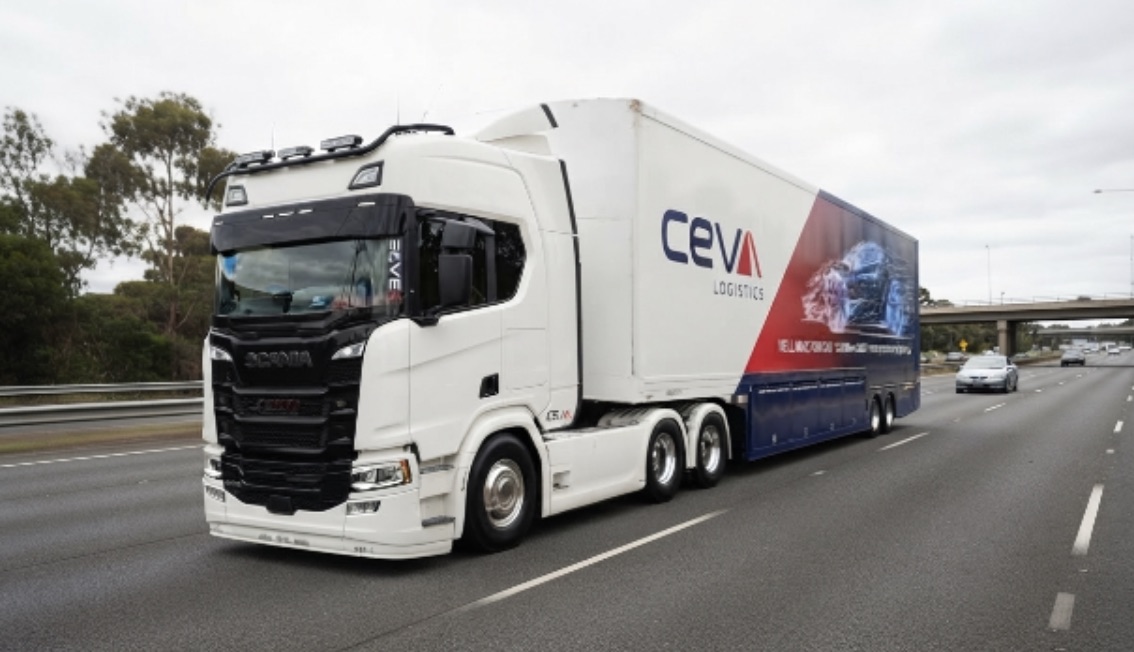
Image by Ceva Logistics
If you are asking whether enclosed transport is necessary, the short answer is this: for valuable cars, it is often the safer option. It reduces exposure and gives owners more confidence when moving something they truly care about.
Key Benefits of Enclosed Car Transport for Interstate Travel
Not every owner needs the same level of care, which is why transport options matter. Still, enclosed vehicle transport appeals to people who want more than the most affordable option.
The biggest draw is peace of mind. You get additional protection, more privacy, and service built around valuable vehicles. Let’s look at the practical benefits that make enclosed transport worth considering.
Protection Against Weather, Debris, and Road Hazards
One of the main benefits of enclosed car transport interstate is straightforward: your vehicle is shielded during the main journey. Enclosed carriers help lower exposure to common road hazards that can affect exterior condition.
This protection can help against:
- Road debris kicked up during travel
- Changing weather conditions across long routes
- General exposure that increases the risk of damage
For a prestige vehicle, that matters. If your goal is to keep the car closer to showroom condition, reducing contact with outside elements is a practical step, not just an upgrade.
Enhanced Security for Luxury, Classic, and High-Value Cars
Security is another major reason owners choose enclosed transport. When moving luxury cars or other high-value cars, people usually want more visibility and more control over the journey.
Some enclosed services provide tracking updates during transit, so it is worth asking how you can follow your vehicle’s progress. Insurance coverage is also an important point to check before booking, especially for vehicles with higher value.
There are special considerations here. Your vehicle’s safety depends not only on the trailer, but also on handling standards, storage options, and how clearly the provider explains the process from collection through drop-off.
Selecting a Premium Enclosed Car Transport Service for Interstate Moves
Choosing the right car carrier is just as important as choosing the transport type itself. A premium service should feel organised, transparent, and focused on careful handling from start to finish.
When you compare an enclosed car transport service, look beyond price. The company’s reputation, service standards, and the protection offered during transit all shape the experience. Here is what to assess before you book.
Essential Qualities of Reliable Car Carriers in Australia
Reliable service usually comes down to a few clear signs. Good car transport companies explain their process, use specialist handling, and provide tracking so you are not left guessing.
For enclosed car transport companies, the company’s reputation is shaped by consistency. In practice, that means careful transit, clear communication, and support before and after delivery.
|
Quality |
What it means |
|
Fully enclosed transit |
Better protection during the main transport stage |
|
Specialist handling |
More care with loading, unloading, and vehicle movement |
|
Tracking updates |
Clear visibility through the journey |
|
Undercover storage |
Added protection at the depot when needed |
|
Premium customer service |
Smoother booking, collection, and delivery experience |
Questions to Ask Before Booking Interstate Transport
Before you confirm a booking, ask direct questions. This is the easiest way to see whether a provider can meet your specific needs and offer the level of care your vehicle deserves.
Useful questions include:
- Will my car be enclosed for the full main journey?
- What insurance coverage applies to my vehicle type?
- Are tracking updates available during transit?
- Can you support timely delivery and depot storage if needed?
These questions help you judge total protection, not just a quote. They also reveal a lot about the company’s reputation and whether the service truly fits a prestige vehicle.
Conclusion
In summary, enclosed car transport interstate offers added protection that suits many prestige vehicles. With features designed to shield your luxury or classic car from the elements and potential road hazards, enclosed transport can give you added confidence in how your vehicle is protected. The right service not only ensures security but also provides peace of mind during transit. As you consider your options, remember to choose a reputable carrier by asking the right questions and looking for essential qualities. By taking these steps, you can enjoy a seamless transportation experience for your prized vehicle. If you have any further questions or need assistance, feel free to reach out to CEVA Car Carrying to learn more about how we can support your transport needs.
Frequently Asked Questions
Is enclosed car transport necessary for luxury cars in Australia?
Enclosed transport is not always essential, but for luxury cars it is often the preferred vehicle transport option. It offers maximum protection during the main journey and helps lower the risk of damage, which is why many owners choose it for valuable vehicles.
What factors influence the cost of enclosed car transport interstate?
The cost can vary based on vehicle type, the transport service chosen, and trip length. For interstate car freight over long distances, owners should also ask about insurance coverage and whether premium handling or storage features are included in the quote.
How do I prepare my prestige vehicle for interstate enclosed transport?
Good preparation starts with confirming the vehicle type details and asking the car carrier about their process. Before using car transport services, remove personal items and check any service-specific requirements so the vehicle is ready for safe handling and collection.

Founders love to brag about long hours. However, running on five hours of sleep is like funding a company with a maxed-out credit card. Eventually, the bill arrives, and it usually shows up as poor decisions, short tempers, and missed chances. Seeing rest as an asset changes the math.
What Poor Sleep Really Costs
Tired brains struggle with judgment, memory, and impulse control. Researchers have long tied short sleep to weaker focus, shakier moods, and rising stress. For founders, those effects multiply, since every choice affects revenue, staff, and customers.
Leadership suffers most. In fact, better leaders tend to be better sleepers, which makes rest one of the cheapest upgrades available to any team head.
Build a Sleep Routine With a Clear Plan
Good results come from consistent systems. Try these steps for two weeks:
- Set a fixed lights-out time and guard it like a client meeting.
- Create a shutdown ritual. Writing tomorrow’s top three tasks lets the mind stop juggling.
- Silence screens an hour before bed, because blue light delays sleepiness.
- Cap caffeine at noon, since a late espresso lingers for hours.
- Track results daily, just as we would track any key metric.
Design a Space That Supports Recovery
Remote founders often blur the line between work and rest. As a result, common home office mistakes can follow us into the bedroom, where laptops glow beside the pillow.
Hotels solved this problem long ago. Guest rooms are built for restful nights, so they feature tough, tidy headboards, including Knightsbridge bed heads, made for commercial use and offered in customizable finishes. We can copy the idea at home by creating a calm, clutter-free sleeping zone that signals the end of the workday.
A few additions help:
- Blackout curtains to block early light.
- A cool room, ideally between 60 and 67 degrees.
- A supportive mattress and bedding that suit our sleeping style.
- A charging station outside the room, so alerts stay out of reach.
Measure the Return
After two weeks, review energy levels, mood, and decision quality. Most people notice sharper focus first, followed by steadier patience during stressful meetings. Small gains compound quickly, much like interest on a smart investment.
If sleep problems persist despite good habits, consider talking with a doctor. Chronic insomnia and conditions such as sleep apnea respond well to treatment.
The Bottom Line
Hustle culture treats rest as wasted time, yet the data points the other way. Protect sleep, design a room that supports it, and watch performance climb. Tonight, begin with one change, and let compounding do the rest.

I started walking my dog before opening my laptop out of pure guilt, and it turned into the only productivity trick I’ve kept for more than a month.
That’s the honest version. No fancy morning routine, no cold plunge, no five step journaling system. Just a dog who stares at me at 7:15 a.m. until I put on shoes. What surprised me wasn’t the step count. It was how much calmer my first two working hours became. So I started paying attention to what other pet owners already knew, and it turns out the connection runs deeper than most people assume.
Think about the last time you felt genuinely settled. Chances are a pet was somewhere in the frame. That’s not coincidence, and it’s why so many people build a small daily ritual around their animal. If your dog is older, anxious, or just plain stiff in the mornings, a product like K9 CBD Oil often becomes part of that ritual, not as a cure for anything, but as one more tool in a routine you control. I’ll show you how to build that routine without turning it into a second job.
What the Science Actually Says About Pets and Calm
You don’t need a study to feel it, but the research is comforting anyway. The National Institutes of Health has funded work on the human animal bond for decades, and the broad finding holds up: interactions with animals are linked to lower stress markers and better mood in everyday settings.
Here’s my read on it. The benefit isn’t the animal itself. It’s the forced pause. You can’t scroll your phone and throw a ball at the same time. You can’t answer Slack and brush a dog’s coat properly. The pet yanks you into the present because the task literally requires your hands.
That’s why I’d pick a dog walk over a meditation app every single time. One demands nothing from you and gets skipped. The other has a face and a leash and a mild amount of judgment.
A Framework I Call the Three Anchors
This is the part that made everything stick for me, and it’s the piece most advice skips. You don’t build a pet routine by adding tasks. You build it by attaching pet care to things you already do without thinking. I call it the Three Anchors: morning, midday, evening. One small action per anchor, no more.
Here’s how it looks in practice.
|
Anchor |
Action |
Time cost
|
|
Morning |
Walk or yard time before you open email |
10 to 20 minutes |
|
Midday |
Water check, treat, and thirty seconds of attention |
Under 2 minutes |
|
Evening |
Grooming, massage, or a slow sniff walk |
5 to 15 minutes |
Two things make this work. First, the triggers are already in your day, so you’re not relying on willpower. Second, the midday anchor is deliberately tiny. If a habit takes under two minutes, you’ll do it even on a bad day, and the streak matters more than the duration.
I’ve run this for about eight months now. The weeks it fell apart were the weeks I skipped the midday anchor, not the walks. Small anchor first. Always.
Building the Routine Around an Older or Anxious Dog
Senior dogs change the math. A nine year old Labrador doesn’t want a three mile loop at 6 a.m., and pretending otherwise ends with both of you miserable and you late for a call.
What worked for my neighbor’s aging shepherd was shorter and more frequent. Three ten minute sniff walks beat one long march, and the sniffing seemed to do more for her than the distance ever did. Slow is fine. Slow is often better.
Two habits worth adding if your dog is slowing down or gets rattled by noise:
- A consistent surface. Same route, same sidewalk, fewer surprises for joints and nerves.
- A short wind down. Five minutes of gentle pressure along the back and hips before bed.
- A written log. Note the date, what you changed, and what you noticed two days later.
That last one sounds fussy. It isn’t. You will not remember how your dog was doing three weeks ago, and a five line note is the difference between guessing and knowing.
How Pet Care Fits Into a Packed Work Schedule
Most people don’t quit a routine because they stop caring. They quit because a deadline week hits and the flexible item gets cut first. Pet care is usually the flexible item.
So make it the inflexible one. Put the walk on your calendar as a meeting with yourself. Take calls on speaker while you’re in the yard. Nobody on that call knows, and the Centers for Disease Control and Prevention is clear that regular physical activity is one of the most reliable things you can do for your own health, so the walk is doing double duty anyway.
If you have a genuinely brutal stretch coming, plan it. Ask a family member to cover the midday anchor. Book a walker for two days, not seven. Scaling down is fine. Going to zero is what kills the habit, because restarting takes far more energy than maintaining something small.
What to Look For Before You Add Any Product
I’m skeptical of anything marketed with too much enthusiasm, so here’s the filter I use. Three questions, in order.
Does the company tell you what’s in it and how much? A label that lists the amount per serving is a good sign. Vague language about proprietary blends is not.
Does the company point you toward your vet rather than away from them? The American Veterinary Medical Association makes the obvious point that your veterinarian is the right person to ask about anything you’re adding to your dog’s routine, and any brand that dodges that conversation is telling you something.
Is there a return policy you can actually read? A clear window and a simple process means the company expects most people to be satisfied. Fine print and restocking fees mean the opposite.
I’d rather pay more for a company that answers all three than save fifteen dollars on one that answers none. That’s a stance, not a rule, but it has saved me from a few bad purchases.
Make It Small Enough to Survive a Bad Week
The routine that changes your mornings isn’t the ambitious one. It’s the one that shows up on the day you slept badly, the day the project slipped, the day it rained sideways, which is also how getting the work done from the house survives a bad week.
So build it small on purpose. One walk. One water check. One quiet five minutes on the floor with your dog while your coffee goes cold. That’s the whole system, and it’s enough. The walks add up. The calm adds up. The dog notices long before you do.
Which anchor in your day would be easiest to protect this week, morning, midday, or evening? Pick one. Do it tomorrow. See what your first working hour feels like after.

How Your Approach to Personal Finances Can Influence Your Entrepreneurial Journey

The Economics of AI: Rapid Growth, Falling Prices, and OpenAI’s Strategic Shift

Why Copying Famous Startup Playbooks Will Quietly Kill Your Company

The Quiet Money Habits That Separate Savers From Spenders

Healthy Ways to Repair a Relationship
5 Ways For Startups To Succeed Making Acquisitions

77 Inspirational Quotes That Will Change Your Life
57 Memorable Kobe Bryant Quotes

(Images) 52 Motivational Picture Quotes For An Epic Year Of Success

40 Rare Motivational and Inspirational Picture Quotes
3 Prince EA Videos To Change Humanities Path To Greatness
(Video) What Is Success? An Entrepreneurial Story To Inspire You
(Inspirational Video) What If Today You Knew You Were Going To Take Your Last Breath?
How To Make Enough Money From A Blog To Quit Your Job – Kate McKibbin
How Finding Your Passion And Becoming An Entrepreneur Can Lead To Happiness – Chiquita Searle
-

 Life2 years ago
The 5 Stages of a Quarter-Life Crisis & What You Can Do
-

 Did You Know1 year ago
7 Surprising Life Lessons Video Games Taught Me That School Never Did
-

 Success Advice1 year ago
Stephen Covey’s 8 Leadership Habits That Will Change How You Lead Forever
-

 Life1 year ago
How to Stop the War in Your Head and Find Peace
-

 Featured2 years ago
The Psychology of Motivation: How to Keep Moving Forward Every Day
-

 Personal Development1 year ago
The Three-Second Pause That Changes How People Perceive You
-

 Explode Your Social Media1 year ago
Want More Views? Master These 6 YouTube Growth Tactics
-

 Change Your Mindset1 year ago
You Become What You Absorb: How Input Shapes Your Life